
Creating an App in Buildaible
With Buildaible, creating your own app is straightforward and customizable. Follow these steps to get started:
Step 1: Start a New App
From your Account Home, click the ”+ Build a new app” button located in the top left. This will open a window where you can start building your app.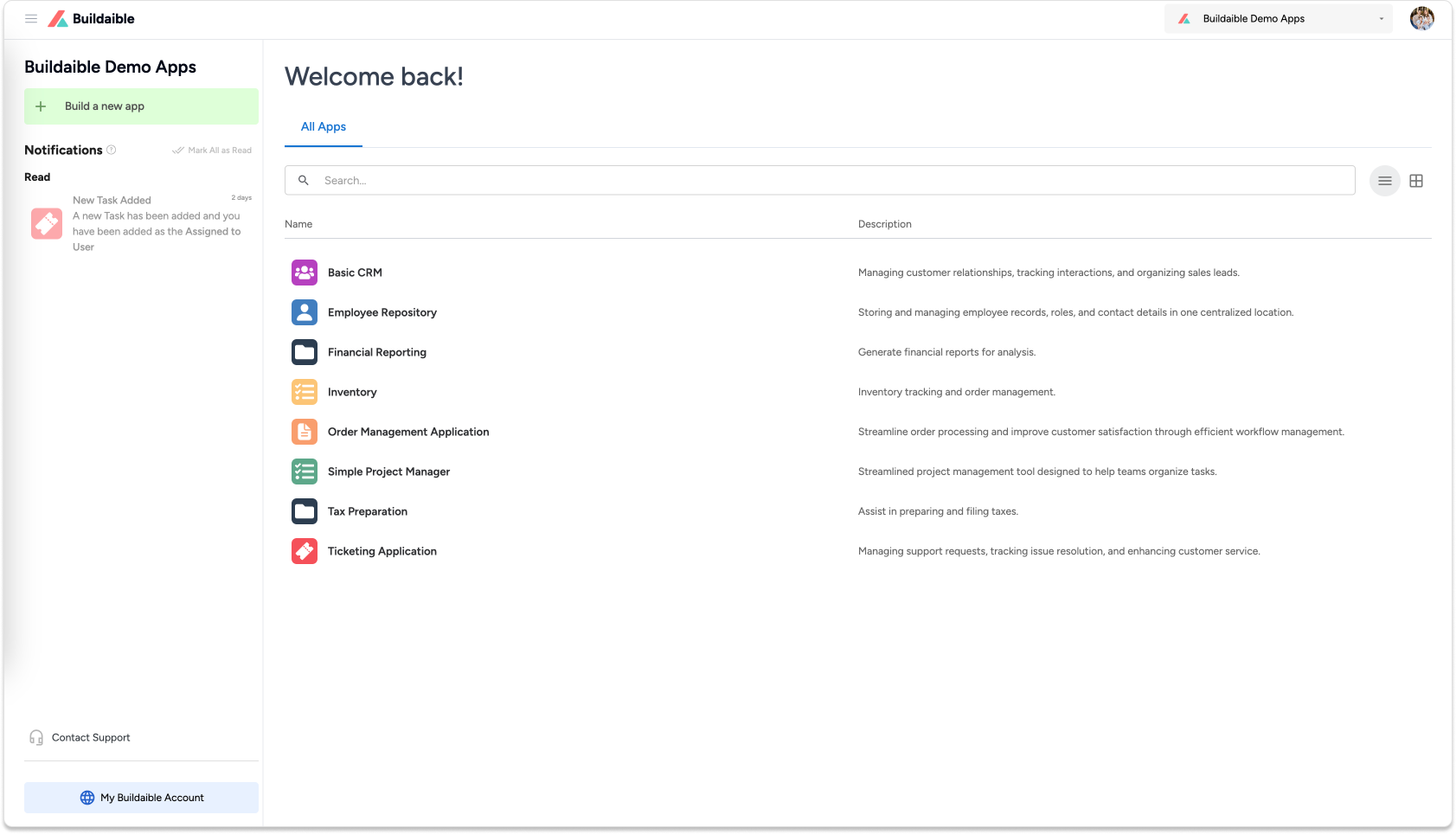
Step 2: Choose Your App Creation Method
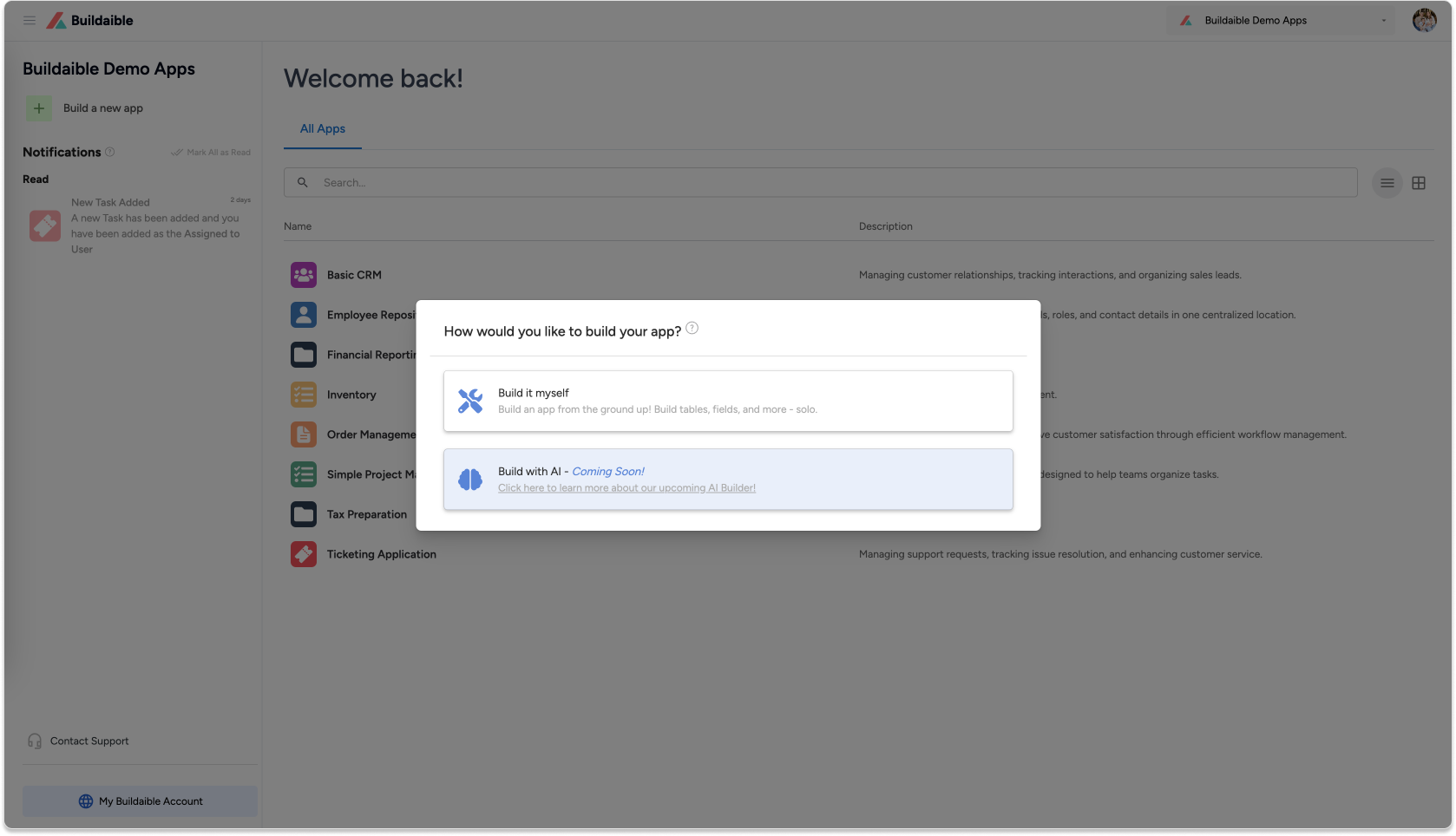
You’ll be prompted with two options:
-
Build it Myself (Available Now): This option allows you to manually design your app by defining tables, fields, and relationships.
-
Build with AI (Coming Soon): Our upcoming AI feature will streamline the app-building process by creating a complete app for you based on your input (more details below).
Step 3: Configure Your App (For “Build it Myself”)
If you select Build it Myself, you’ll see a form where you can:
-
Name Your App: Give your app a descriptive and unique name.
-
Add an Optional Description: Provide additional context about what your app will do.
-
Choose an Icon: Select an icon that visually represents your app.
-
Pick a Color: Assign a color for easy identification.
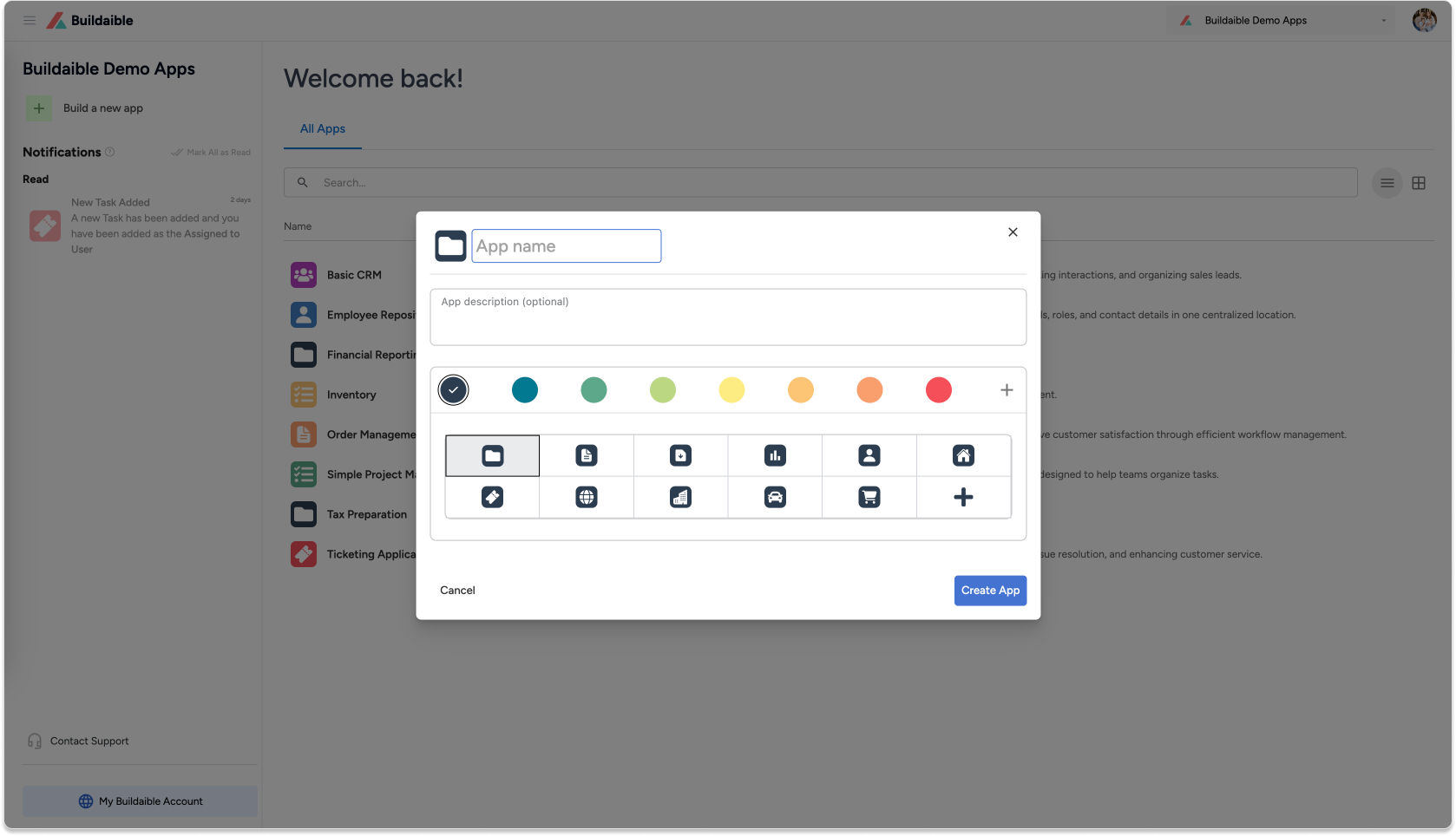
After entering these details, click Create App, and you’ll be directed to the app’s Dashboard. From here, you can begin creating tables, fields, and reports.
Upcoming Feature: Build with AI
The Build with AI feature is designed to make app creation faster and easier by leveraging advanced AI technology. Here’s what to expect:
-
Industry-Specific Customization: Select an industry, and the AI will use that information to generate unique table names, field names, and app structures tailored to the needs of that industry.
-
Guided Questionnaire: Answer a few questions about what you want your app to accomplish.
-
Automatic Schema Creation: The AI will present a suggested structure, including:
-
Tables
-
Fields
-
Relationships
-
-
Review and Approve: Once you approve the schema, the app will be developed for you in minutes.
-
Customization Options: After the app is built, you can:
-
Add more fields and tables manually.
-
Customize forms.
-
Import your data for immediate use.
-
Future Enhancements
After your app is built, you’ll be able to interact with the AI for further adjustments. For example:
-
If you want to add Sales/Invoicing to your existing CRM app, you can ask the AI to add these modules. It will provide you with an updated schema for approval and restructure your app accordingly.
Additionally, Buildaible apps will have constant improvement. As the AI continually learns about industries and businesses, and how they are using their applications, it will suggest updates to app managers to optimize the app for specific use cases. These suggestions might include:
-
Adding new tables or fields.
-
Improving relationships between tables.
-
Recommending new functionality or modules.
App managers will be able to review these suggestions and implement them at the click of a button once approved, ensuring your app evolves to meet your business needs seamlessly.
Important Notes
-
Data Privacy: Our App Builder AI does not access or read your data. It works solely with the structure of your app, including fields, tables, report configurations, and roles.
-
Data-Querying AI (Coming Soon): In the future, we’ll introduce separate AI functionality that lets you query your data. This will require users to provide their own API keys for added security.
-
AI API Integration: The App Builder utilizes our internal API connection to powerful AI Language Models (LLMs).
Stay tuned for the release of Build with AI and future updates to make your app-building experience even better!