
How to Create Reports
Reports in Buildaible allow you to analyze and visualize your data in a way that works best for your business. From simple tables to powerful charts, you can build customized reports to track progress, identify trends, and make data-driven decisions.
This guide provides an overview of the report creation process and links to individual guides for each report type.
Steps to Create a Report
-
Access the Reports Page
-
Open the app where you want to create the report.
-
In the Left Sidebar, under Views, click “Reports.”
.png)
-
-
View Existing Reports
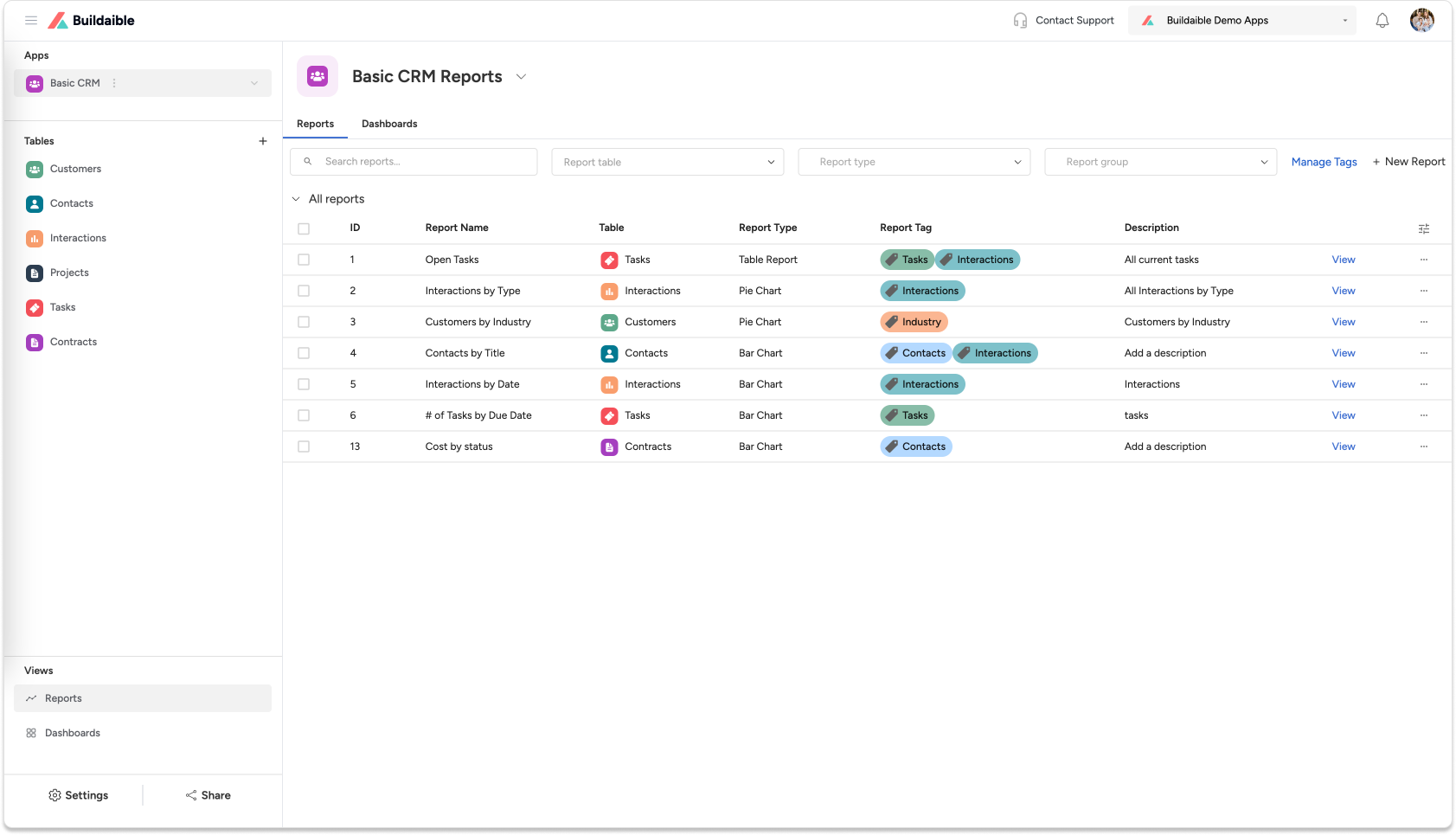
On the Reports page, you will see a list of all reports that have already been created for your app. From here, you can:-
View and open existing reports.
-
Edit or delete reports using the three dots next to their name.
-
-
Create a New Report
-
Click “+ New Report” in the top-left corner of the Reports page.
-
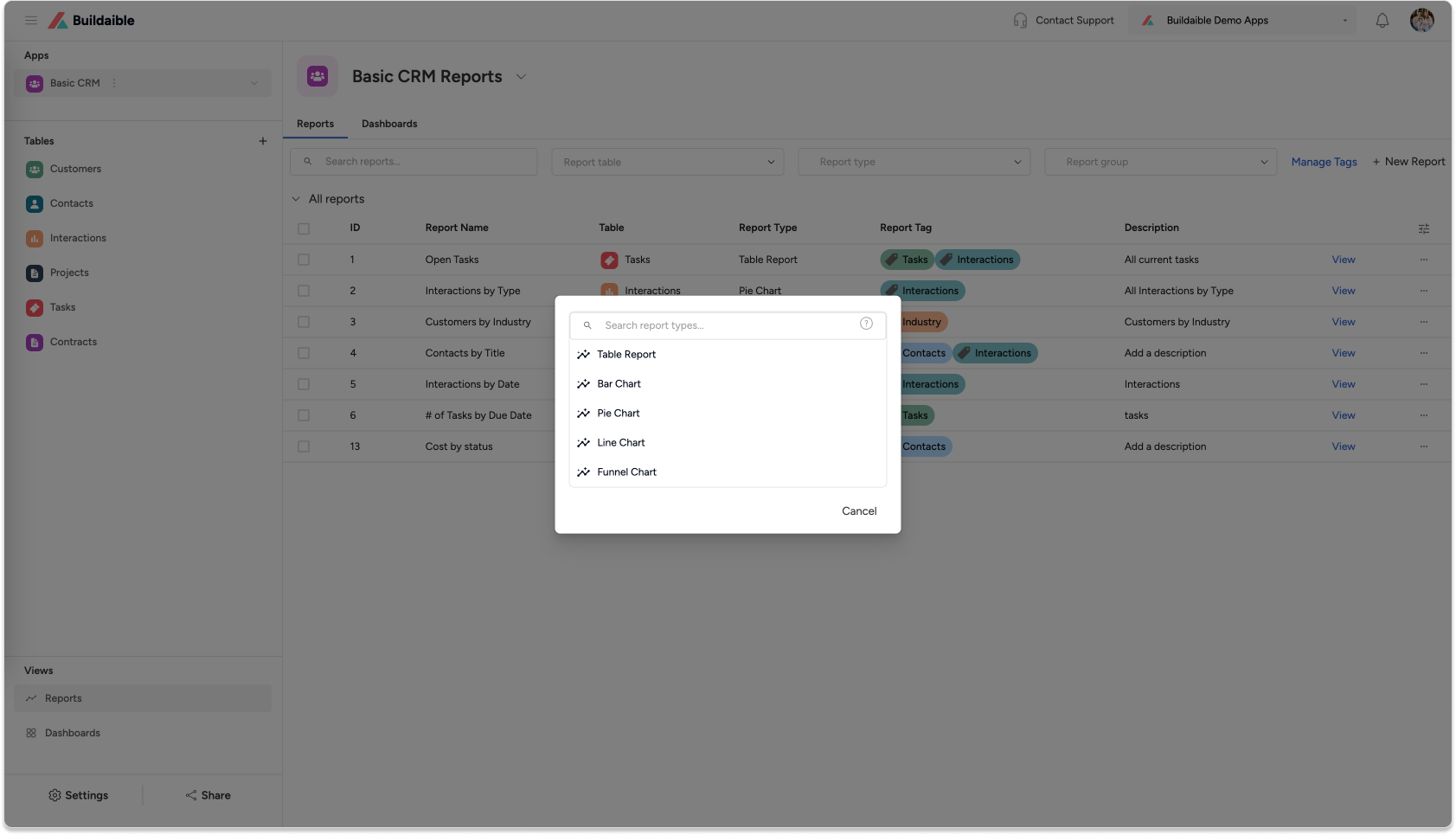
A pop-up will appear, prompting you to choose a report type.
-
-
Choose Your Report Type
Choose the report type that best suits your data visualization needs.
Buildaible currently supports the following report types:
Table Report: View your data in a structured, spreadsheet-like format.
Learn How to Create a Table ReportBar Chart: Visualize data as bars to compare categories or totals.
Learn How to Create a Bar ChartPie Chart: Represent data as slices to show proportions and percentages.
Learn How to Create a Pie ChartLine Chart: Track trends over time or sequential data points.
Learn How to Create a Line ChartFunnel Chart: Analyze sequential processes, such as sales pipelines or workflows.
Learn How to Create a Funnel Chart -
Customize Your Report
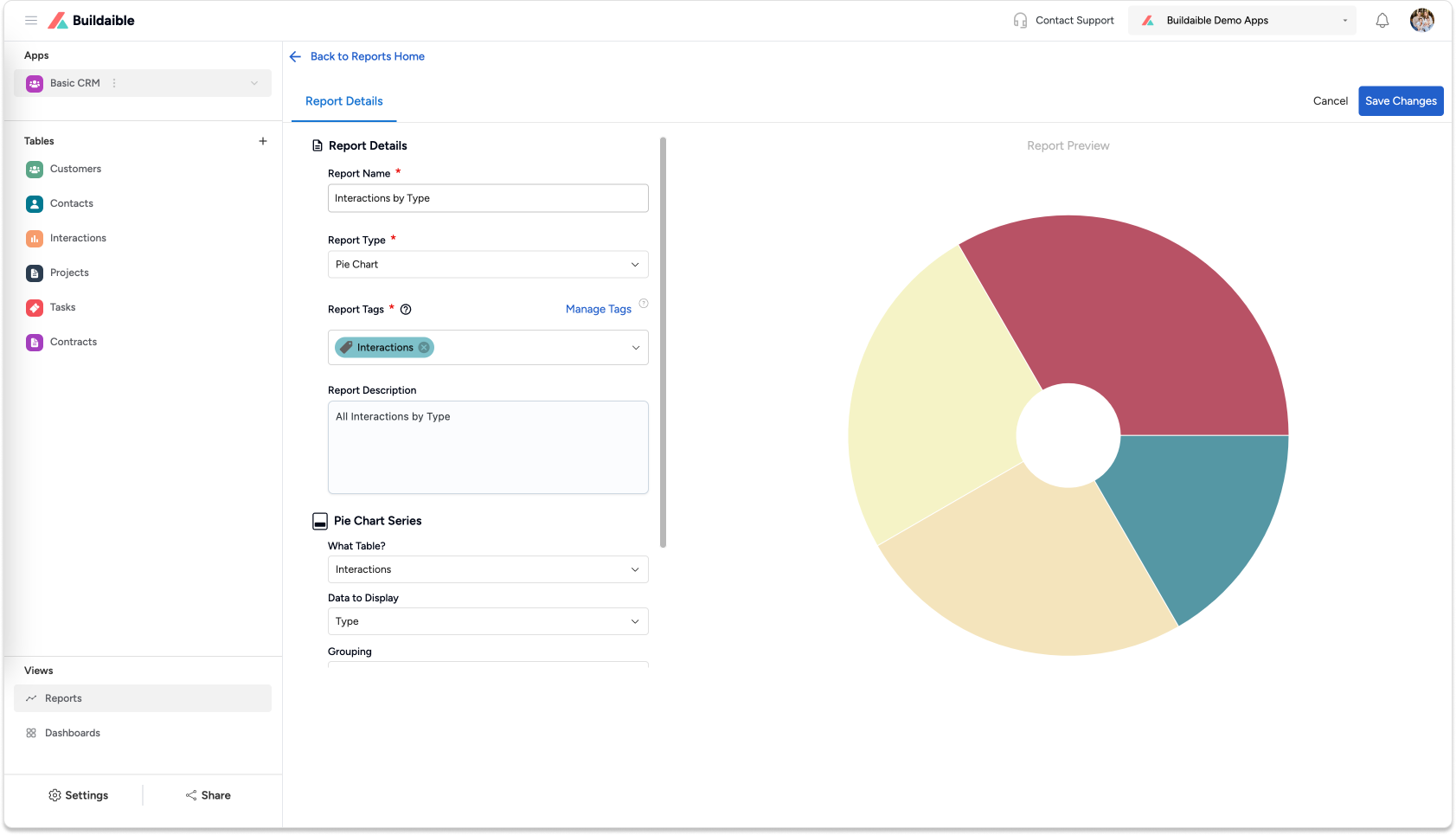
Once you’ve selected a report type, you can:-
Choose the table and fields to include in the report.
-
Apply filters to narrow down the data.
-
Customize the appearance, such as labels, groupings, and sorting.Each report type offers its own customization options, which you can explore in the individual help articles linked above.
-
Next Steps
Now that you know how to create reports, dive into the specific guides above to learn how to set up each report type.
By mastering reports in Buildaible, you’ll gain valuable insights and improve decision-making across your business.