
How to Manually Add Tables to Your App
Once you’ve created your application, the next step is to add tables. Tables are the backbone of your app, organizing the data you’ll use to power your workflows and insights. Buildaible makes it easy to add tables during the initial setup or as your app grows.
Adding Tables During App Creation
After creating a new application, you’ll automatically be prompted to add tables: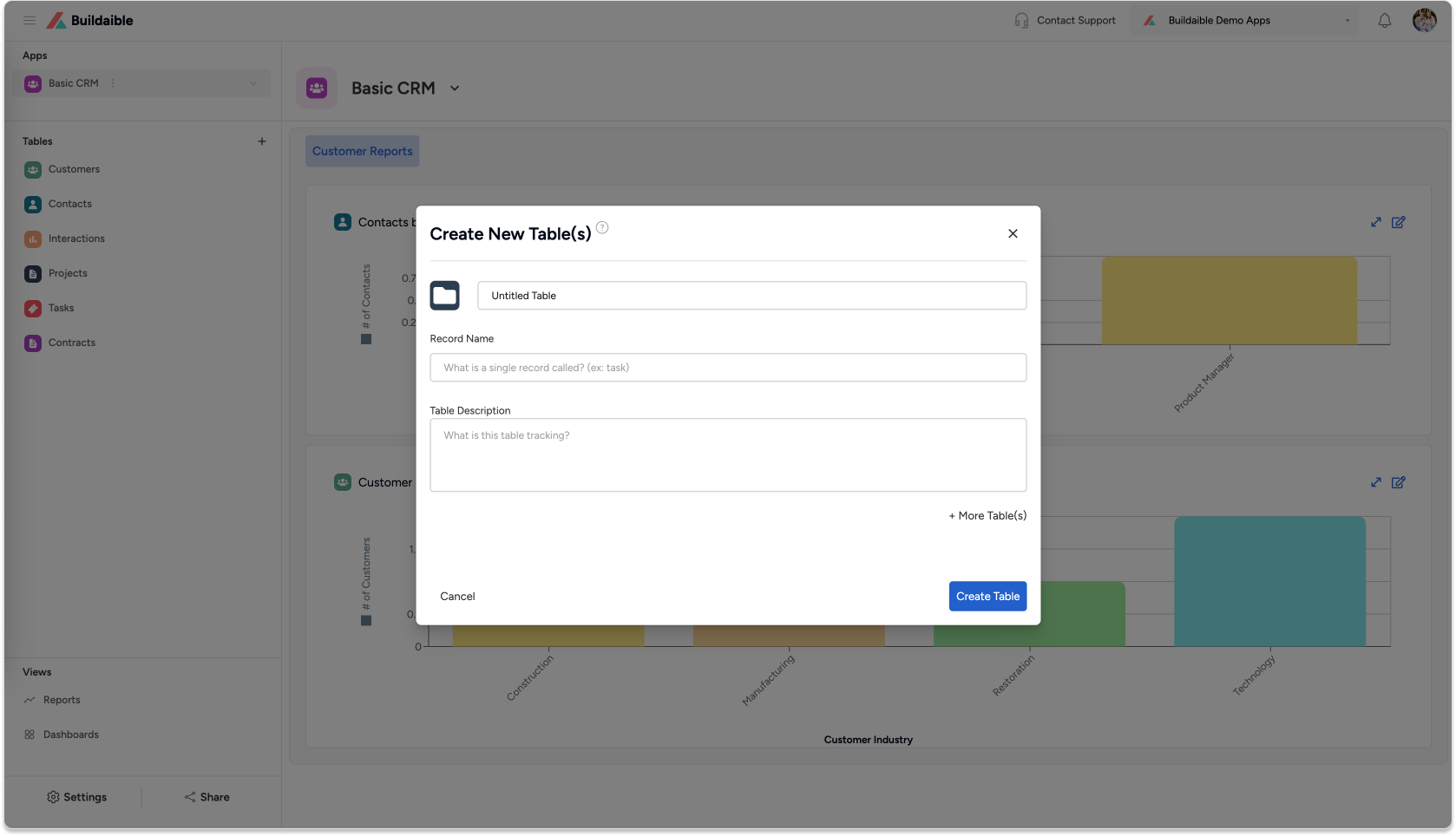
(1).png)
Here’s how to fill out the form:
-
Name Your Table:
Enter a name that reflects the data the table will house. For example, a table for customer information could be called “Customers.” -
Choose an Icon (Optional):
Click the folder icon to select an icon for your table. This helps visually distinguish it in your app. -
Define the Record Name:
Specify what each record in the table will be called. For example, in a “Customers” table, each record might be a “Customer.” -
Add a Description (Optional):
Include a brief description to explain the table’s purpose, making it easier for others to understand its function. -
Add Additional Tables:
To create multiple tables at once, click “+” and repeat the process for each table. -
Create the Table(s):
When you’re finished, click “Create Table(s)” to add them to your app.
Adding Tables Later
As your app evolves, you may need to add more tables. Buildaible provides multiple ways to do this:
Option 1: Add Tables from the Tables List
.png "Screenshot 2024-12-12 at 12.36.44 PM(2).png")
Option 2: Add Tables from App Settings
-
Open the Settings for your application.
-
Go to the Tables tab.
-
Click “+ New Table(s)” in the top-right corner.
-
Complete the table creation form as described earlier.

Tips for Managing Tables
-
You can always edit table details (name, icon, description) later if needed.
-
Use clear and descriptive names for tables and records to make your app easier to navigate.
-
Take advantage of the “+ More Table(s)” feature to set up multiple tables quickly during the initial setup.
With Buildaible, adding and managing tables is simple and flexible, allowing your app to grow alongside your business. Let us know if you need further assistance!