
Table Reports
Table Reports in Buildaible allow you to display and analyze data in a familiar, spreadsheet-like format. Whether you need to view customer lists, project statuses, or task details, Table Reports provide a flexible way to organize and interact with your data.
Follow the steps below to create and customize your own Table Report.
-
Access the Reports Page
-
Open the app where you want to create the Table Report.
-
In the Left Sidebar, under Views, click “Reports”.
-
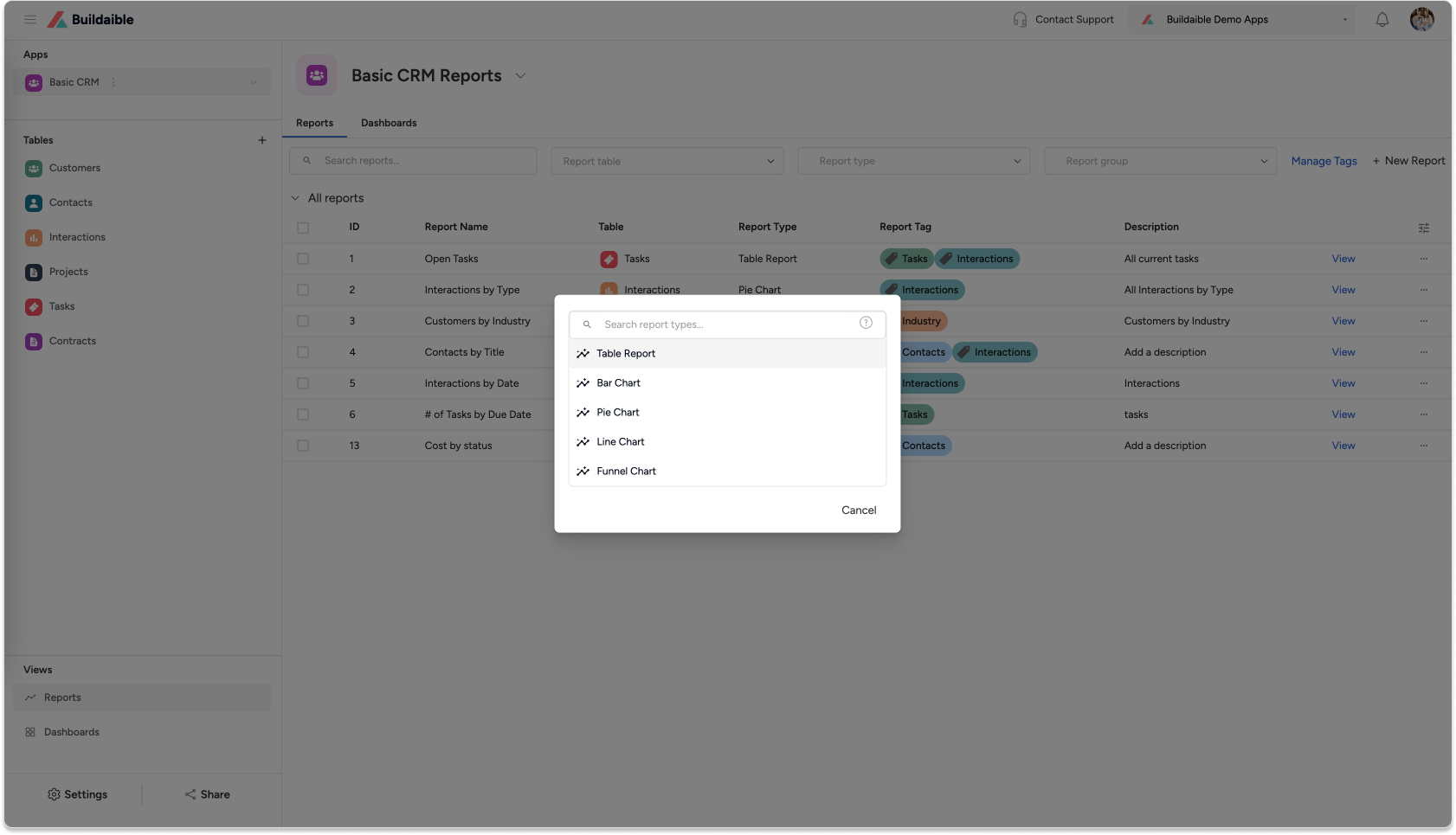
On the Reports page, click the “+ New Report” button in the top-left corner.
-
From the pop-up, select “Table Report” as the report type.
-
-
Configure Your Table Report
Once you’ve selected the Table Report type, you’ll see the Table Report Editor where you can configure the report.-
Add a Title and Description
-
Enter a Title for your report (e.g., “Customer Status Report” or “Project Overview”).
-
Add an optional Description to explain the purpose of the report.
.png)
-
-
Select a Table Source
-
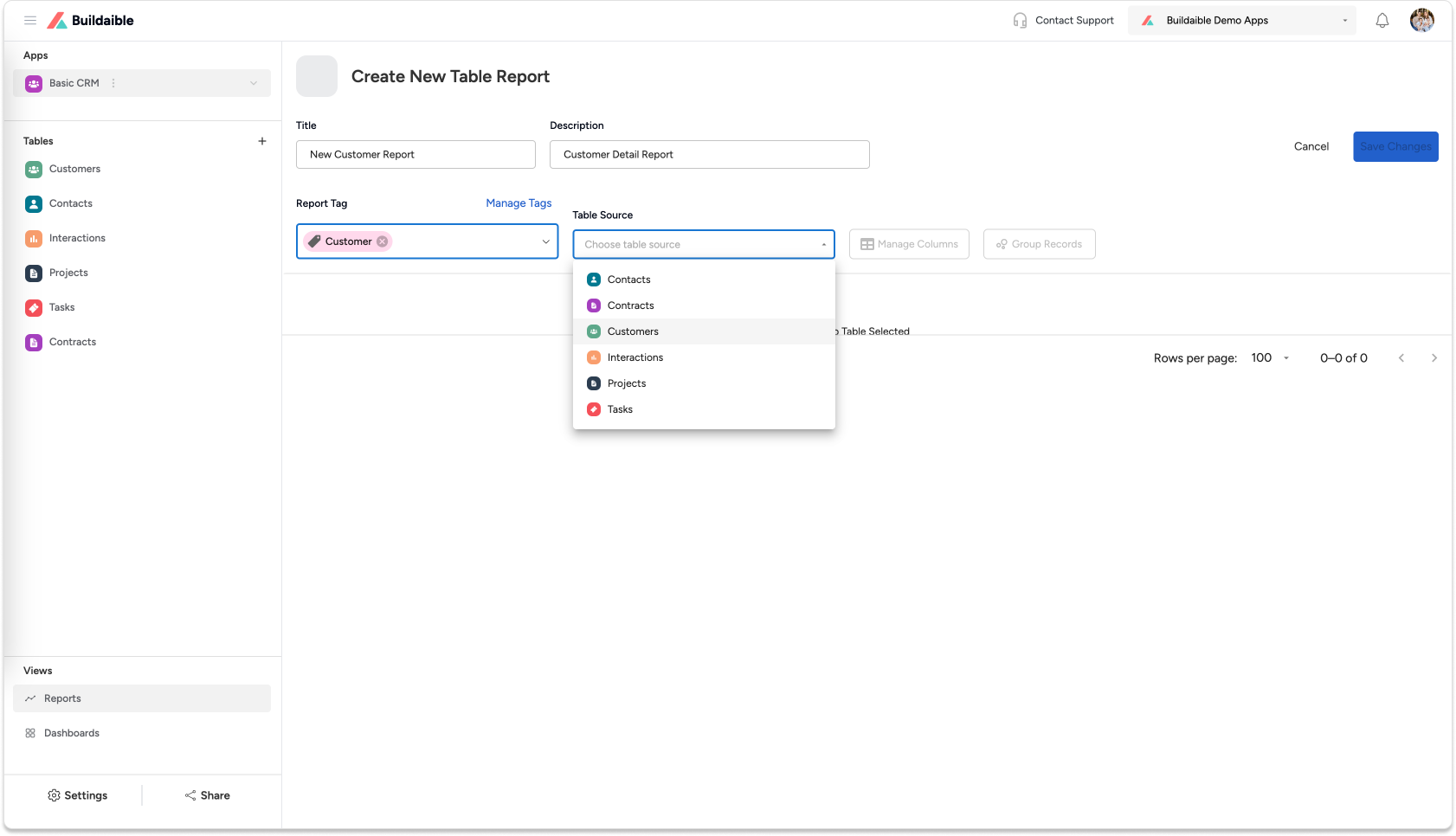
Under Table Source, choose the table you want to display in the report. This determines which dataset the report pulls from (e.g., “App Companies,” “Tasks,” or “Projects”).
-
-
Manage Columns
-
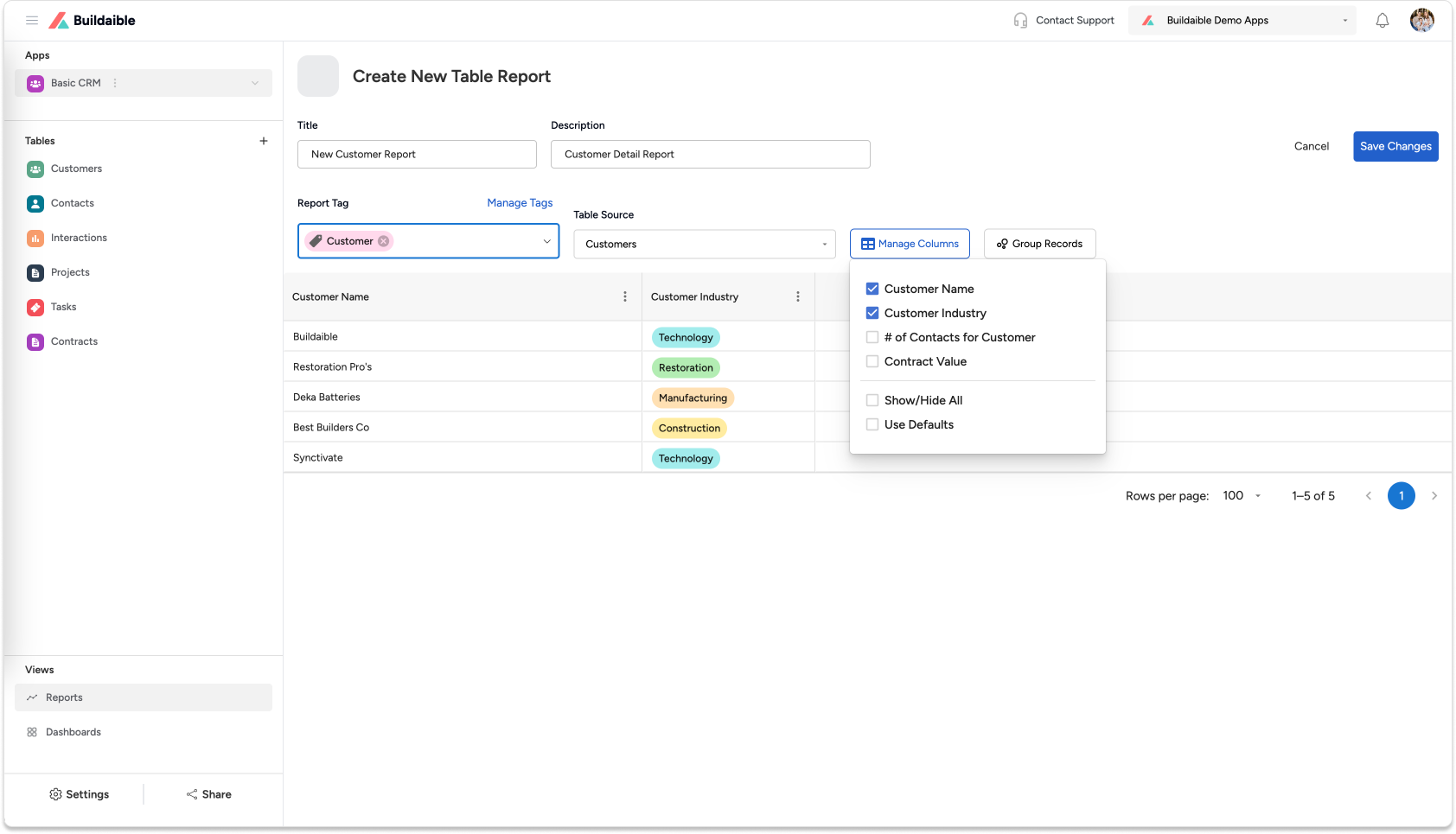
Click “Manage Columns” to choose which fields (columns) from the table will appear in the report.
-
Add, remove, or reorder fields as needed to display the most relevant information.
Example Use Case:
-
For a “Tasks” table, display fields like Task Title, Assigned To, Status, and Due Date.
-
For a “Customers” table, display Company Name, Status, Industry, and POC Email.
-
-
-
Save Your Table Report
When you’re satisfied with your report configuration:-
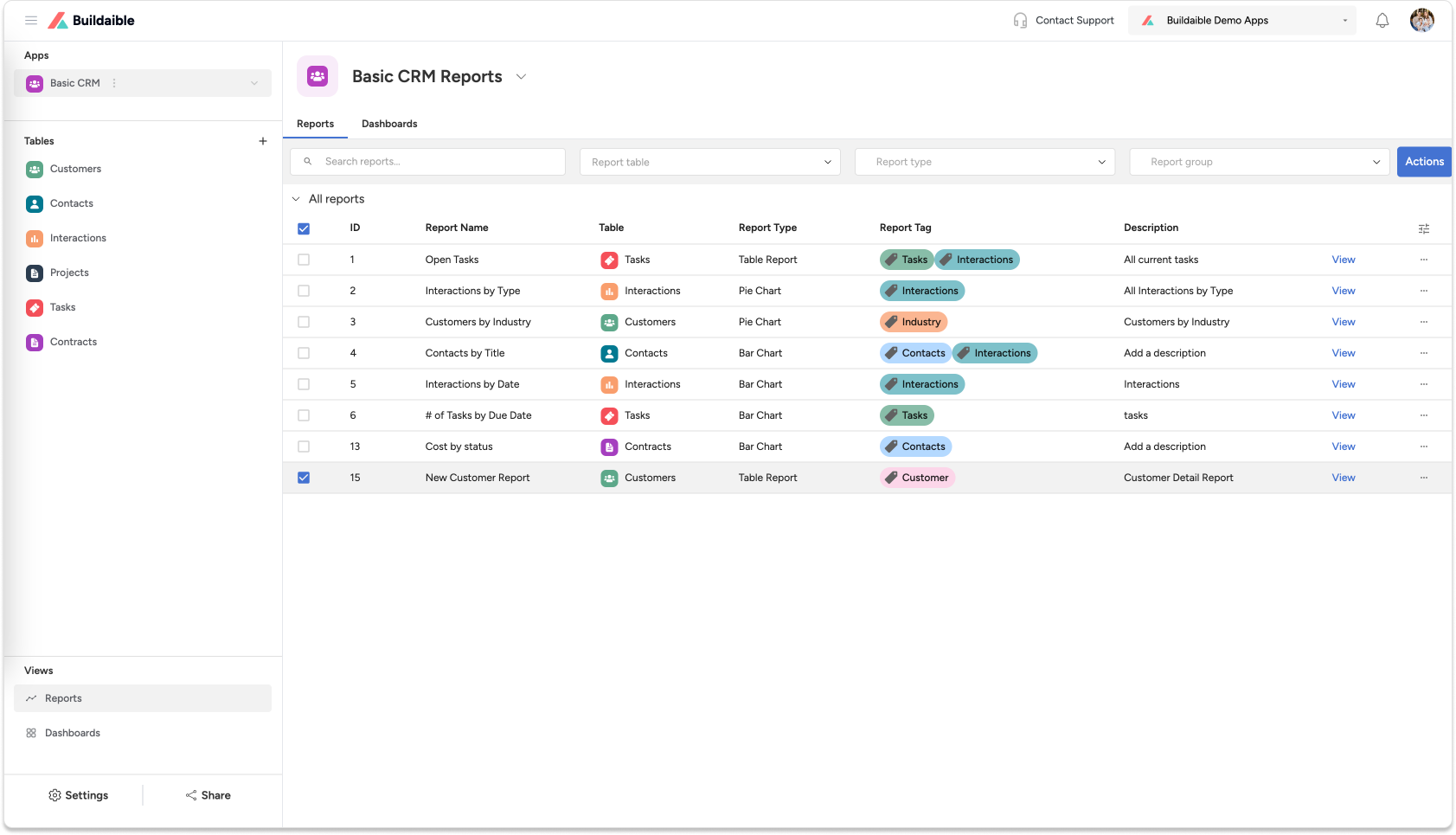
Click the “Save Changes” button in the top-right corner.
-
Your new Table Report will now appear in the list of Reports for the app.
-
Key Features of Table Reports
-
Flexible Column Management: Choose the fields you want to display and arrange them as needed.
-
Real-Time Data: Your Table Report reflects the most up-to-date data in the selected table.
Next Steps
Now that your Table Report is ready, you can:
-
Add It to a Dashboard: Learn How to Create a Dashboard
-
Explore Other Report Types: Explore Report Types
-
Refine Your Data: Adjust the table, filters, or fields to further customize your report.
By creating Table Reports in Buildaible, you can organize, analyze, and present your data efficiently, helping you make better business decisions.