
How to Import Data
Importing data into Buildaible is straightforward and flexible, allowing you to map your data to existing fields, create new fields on the fly, and even make adjustments before finalizing the import. Follow these steps to bring your data into Buildaible seamlessly.
Steps to Import Data
-
Navigate to the Table
Go to the table where you want to import your data.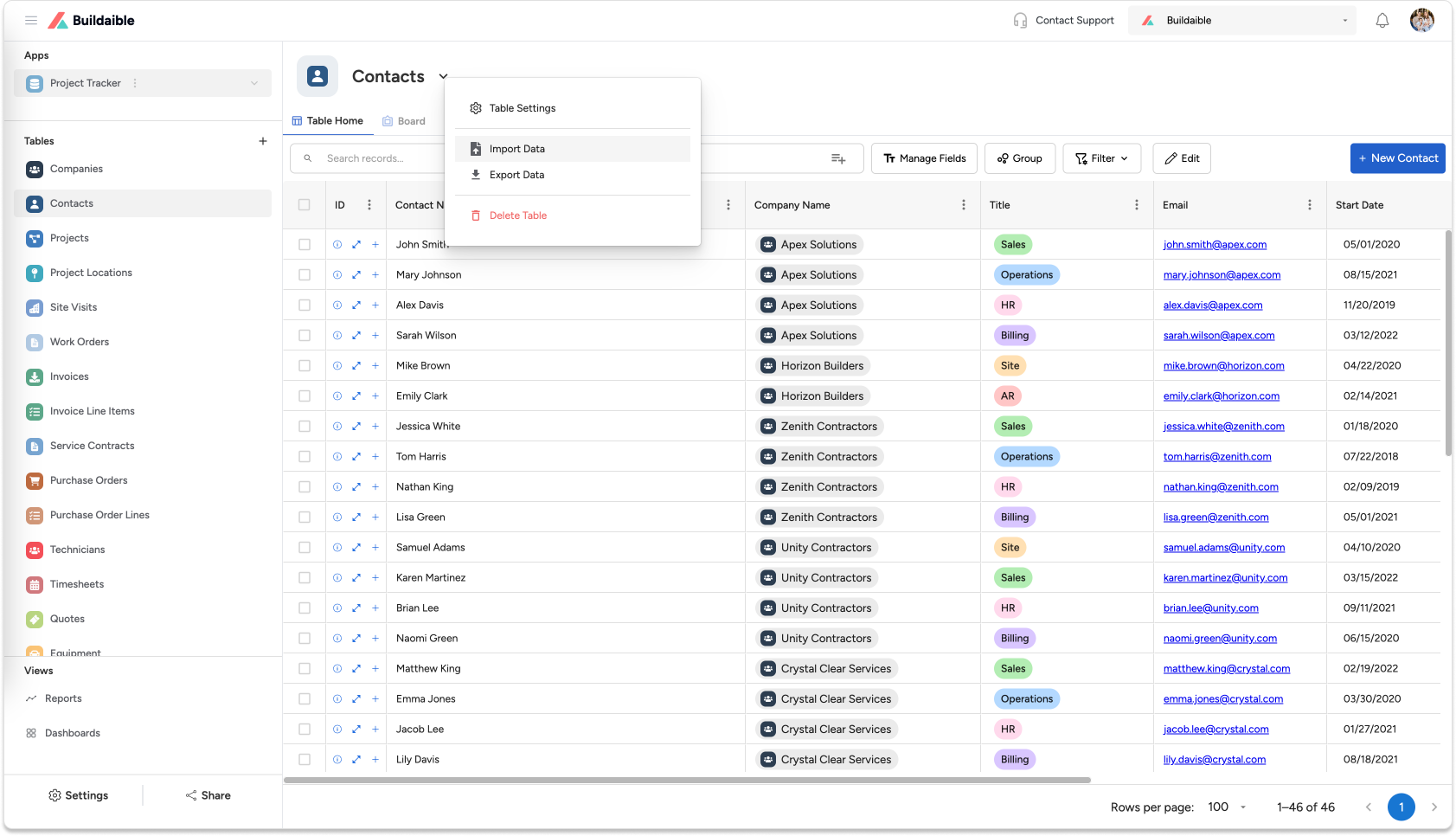
-
Open the Import Options
Click the down arrow next to the table name and select “Import Data” from the dropdown menu. -
Upload Your File
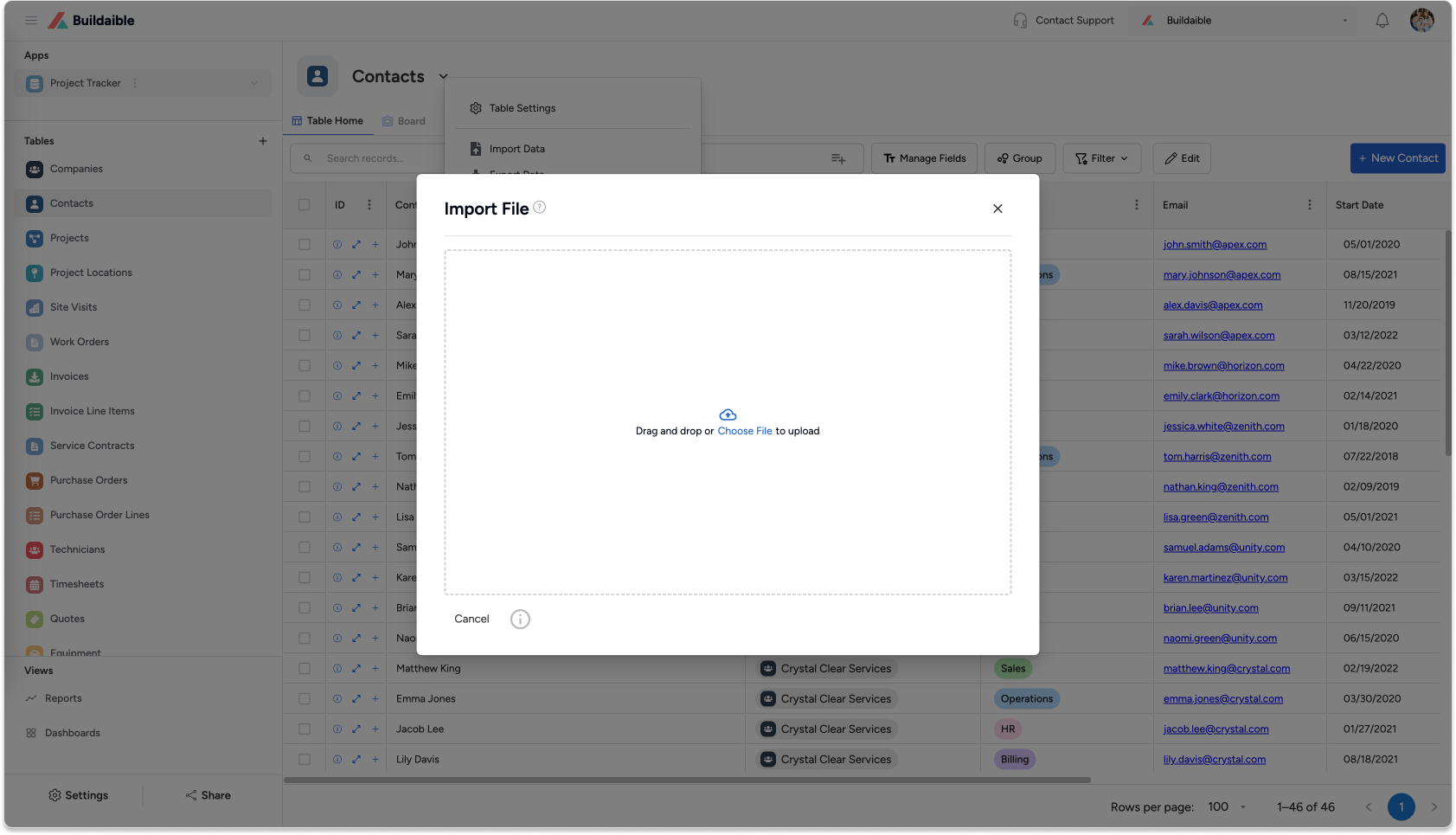
A pop-up will appear, allowing you to upload your Excel file. You can either:-
Drag and drop your Excel file into the pop-up.
-
Click to browse and select a file from your computer.
-
-
Map Your Data
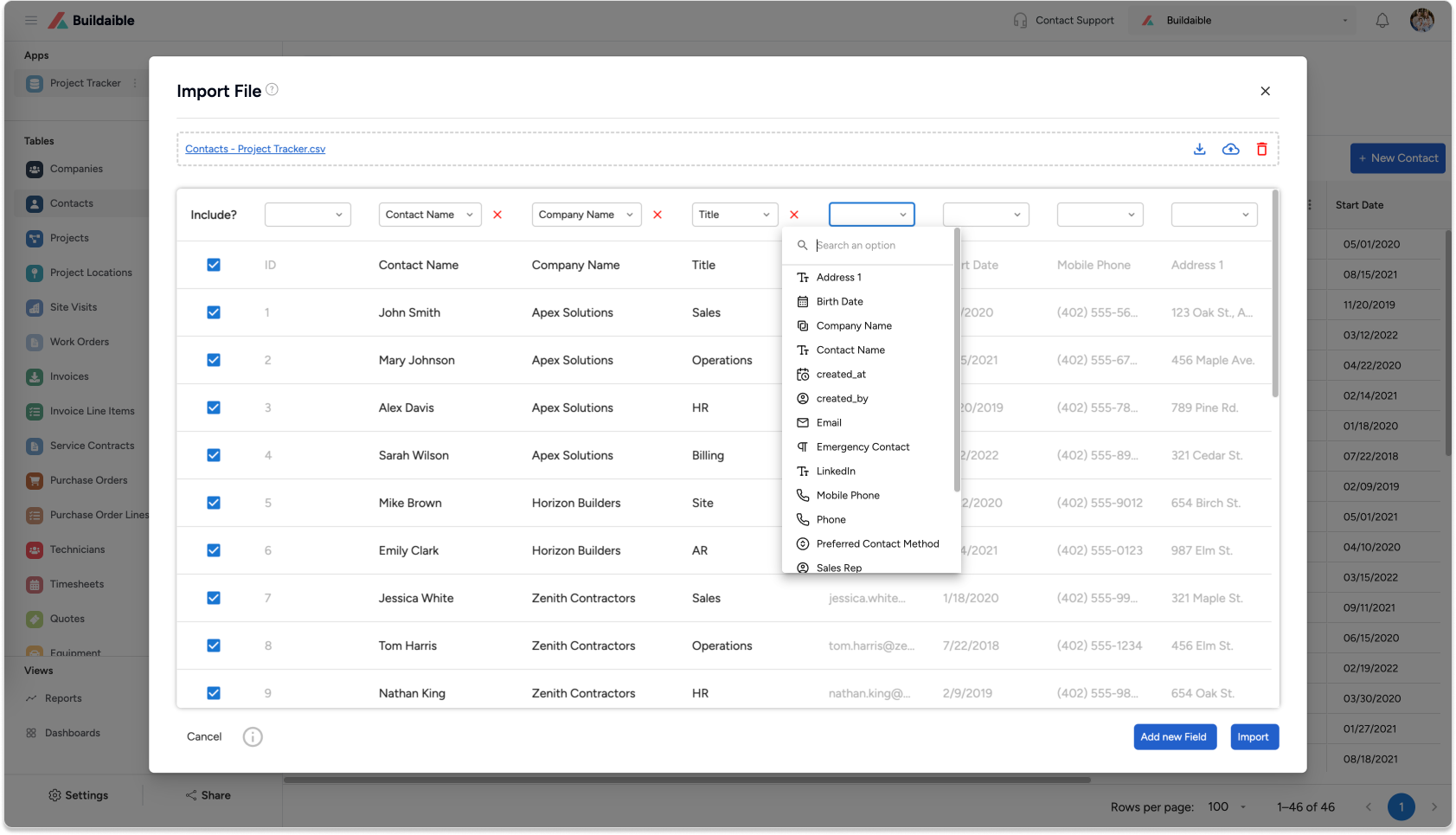
After uploading your file, a new pop-up will display your data in columns. Here’s what you can do on this screen:-
Map Fields: Select which Buildaible field each column in your Excel file should map to.
-
Exclude Data: Leave a column unmapped if you do not want to import its data.
-
Edit Data: Modify values directly in the columns, just like you would in Excel.
-
Create New Fields: Add a new Buildaible field if your Excel file includes data that doesn’t align with existing fields.
-
-
Finalize the Import
Once you’ve mapped your data, click the “Import” button. Buildaible will process your data and add it to the table. -
View Your Imported Data
After the import is complete, Buildaible will redirect you to the table where you can view and start working with your newly imported data.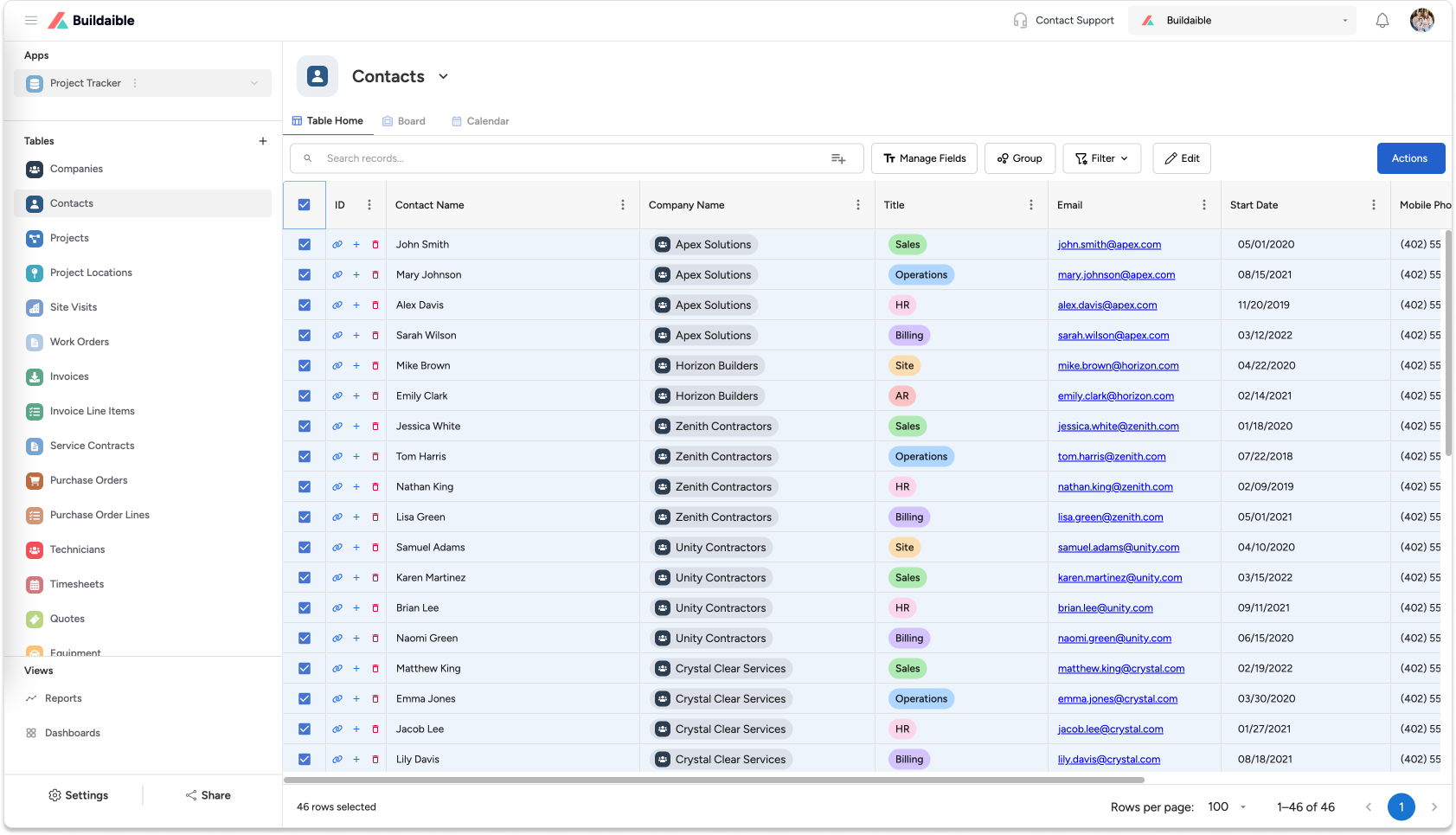
Tips for Importing Data
-
Prepare Your Excel File: Ensure your data is clean and well-structured before importing to save time during the mapping process.
-
Plan Your Fields: If you know your data includes new types of information, decide in advance if you’ll create new Buildaible fields or adjust existing ones.
-
Test Small Imports First: For larger datasets, try importing a small subset first to confirm everything maps correctly.
Common Use Cases for Importing Data
-
Migrating data from another system or spreadsheet into Buildaible.
-
Updating an existing table with new data.
-
Consolidating data from multiple sources into one centralized platform.
Need Help?
If you run into any issues while importing data, our Support Team is here to help! Contact us at support@buildaible.com.
With these steps, importing data into Buildaible is efficient, intuitive, and adaptable to your specific needs.