
How to Pull Data From Linked Tables (Using Lookup Fields)
In Buildaible, Lookup Fields allow you to display information from a linked table (the parent) in the current table (the child). For example, if you’ve linked a “Tasks” table to a “Projects” table, you can use a Lookup Field to pull the project deadline or project manager’s name into the “Tasks” table.
Follow the steps below to set up a Lookup Field and bring data from the parent table into the child table.
Steps to Create a Lookup Field
-
Navigate to the Child Table
Go to the table where you want to display data from a parent table (e.g., the “Tasks” table).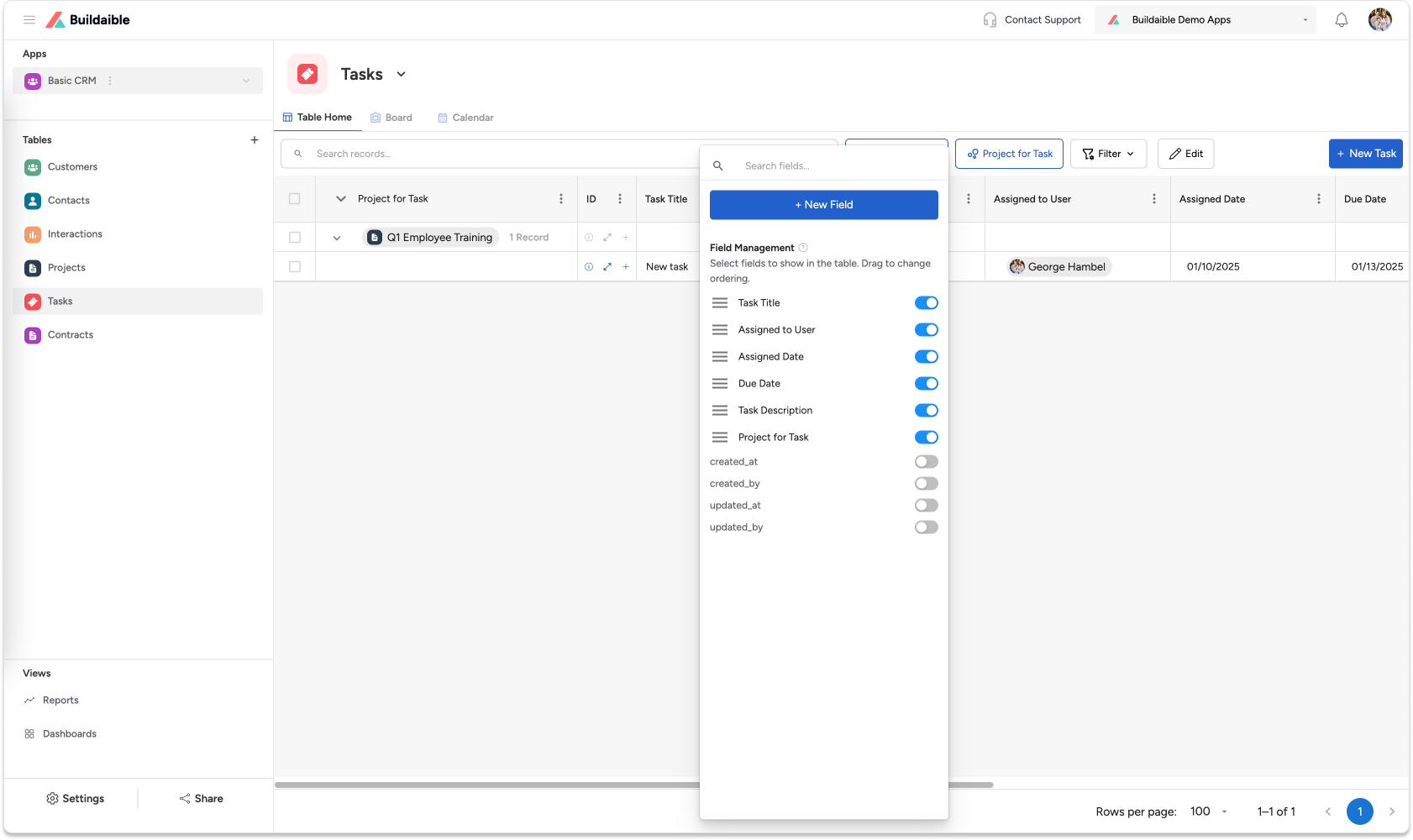
-
Add a Lookup Field
-
Click “Manage Fields” or navigate to the Fields section of your child table.
-
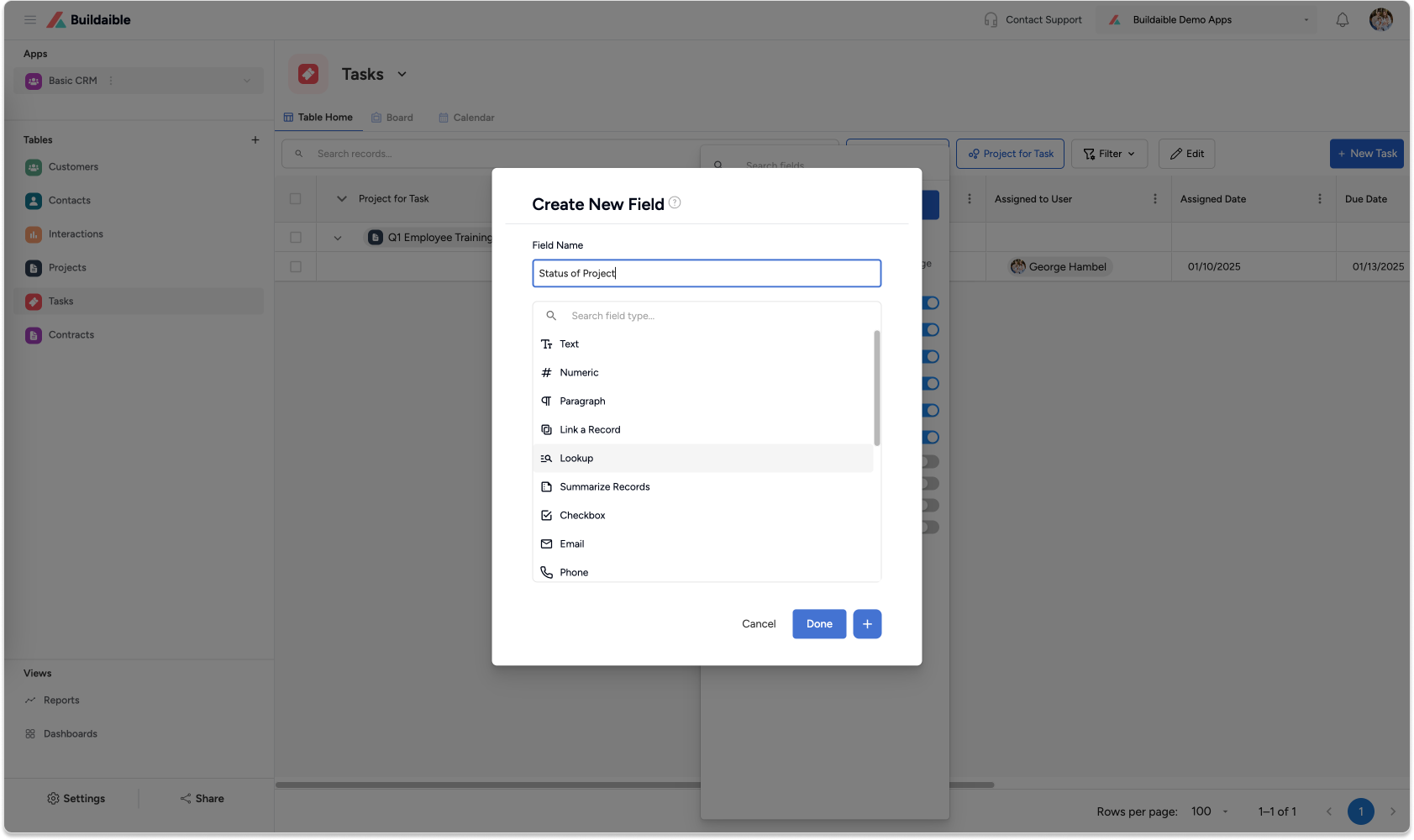
Click “New Field”.
-
Select Lookup Field as the field type.
-
-
Configure the Lookup Field
Once you’ve selected the Lookup field type:-
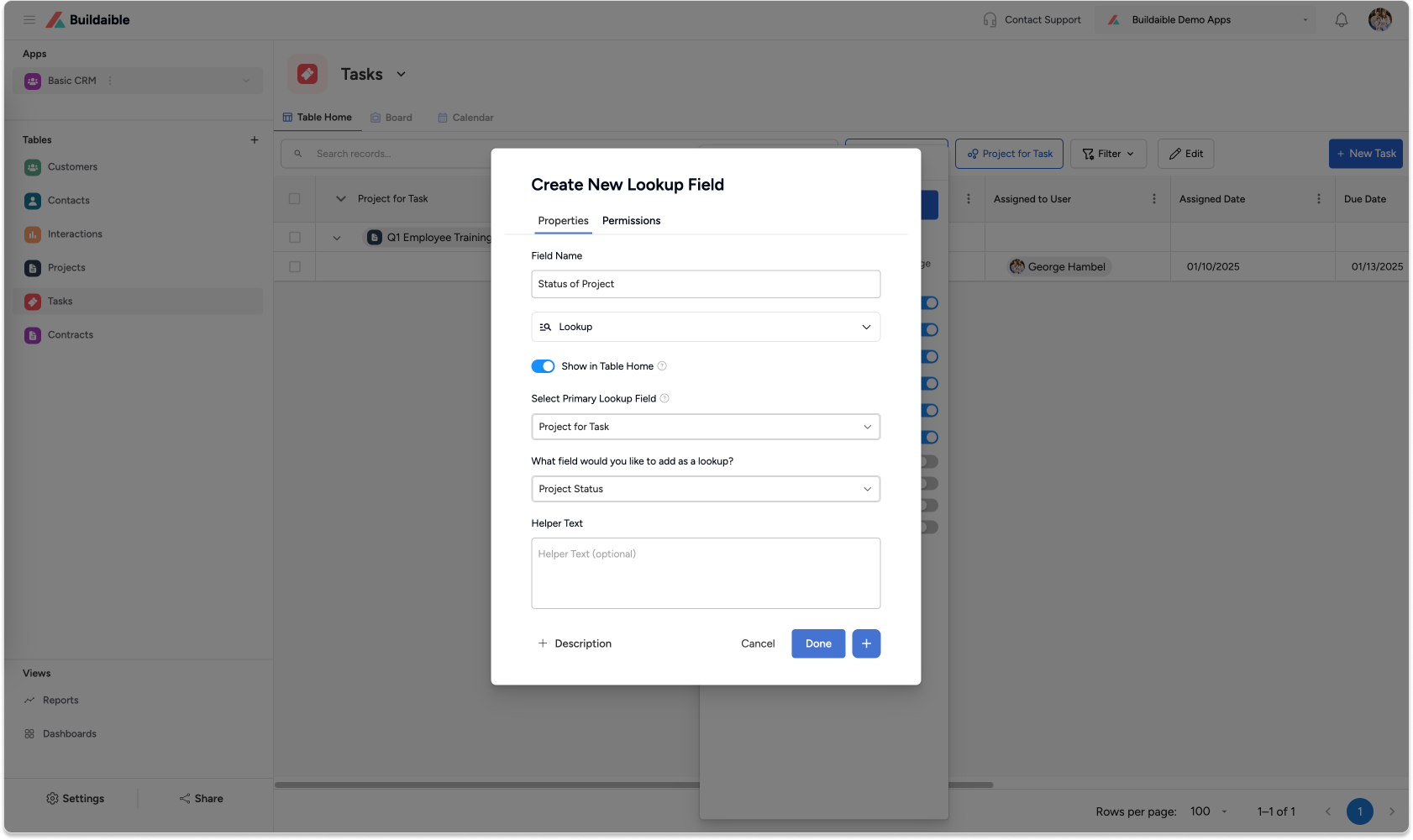
Name the Field: Give it a meaningful name that reflects the data you’re pulling (e.g., “Project Deadline” or “Customer Email”).
-
Select the Primary Lookup Field: Choose the Link a Record field that connects the current table (child) to the parent table. This is the field you created earlier to establish the relationship.
-
Choose the Parent Field to Display: Select the specific field from the parent table whose values you want to display (e.g., “Deadline” or “Email Address”).
-
-
Save the Field
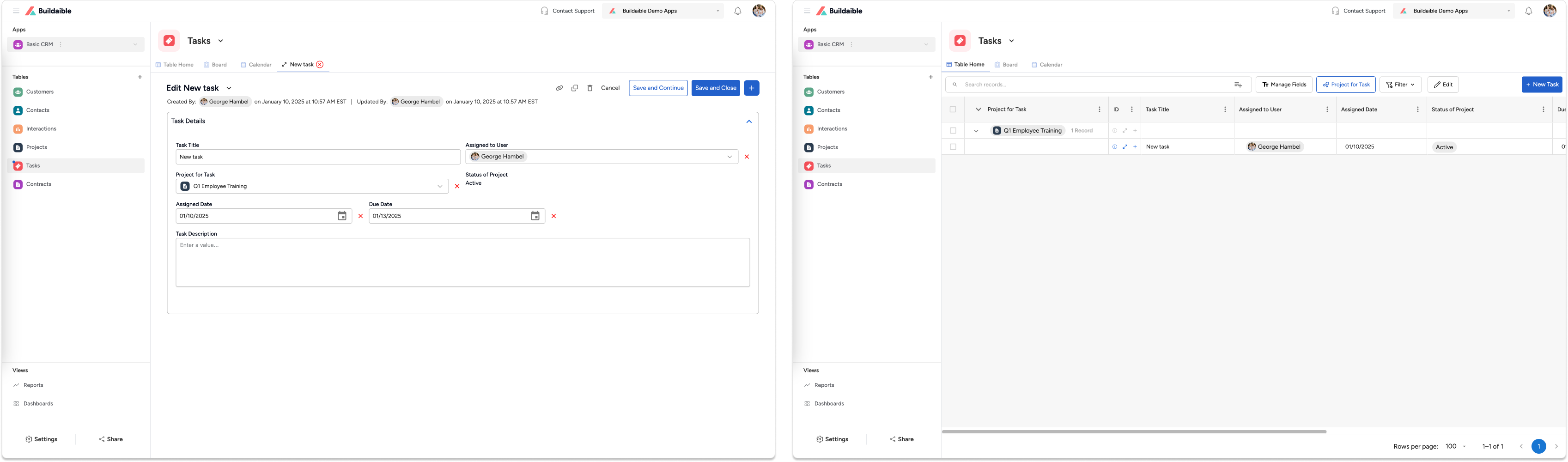
Click Done to add the Lookup Field to your table. The field will now display the corresponding data from the parent table for each record in the child table.
Using Lookup Fields
After setting up a Lookup Field, the data it displays will automatically update whenever the corresponding data in the parent table changes. This ensures that your child table always reflects the latest information from the parent table.
Example:
In a “Tasks” table linked to a “Projects” table:
-
Use a Lookup Field to display the project’s deadline next to each task.
-
Pull the project manager’s name into the “Tasks” table to identify who oversees the project.
Next Steps
Now that you’ve added a Lookup Field, consider the following:
-
Learn How to Relate Tables: If you haven’t already linked your tables, start by creating a Link a Record field.
-
Customize Forms for Better Data Entry: Adjust the form layout to highlight your new Lookup Field.
-
Create Reports with Lookup Data: Use your Lookup Fields in reports to visualize or analyze the linked data.
By using Lookup Fields, Buildaible helps you connect and utilize your data more effectively, making your workflows seamless and your apps smarter! Let us know if you need further assistance.