
What is a View?
A View in Buildaible is a way to display and interact with your data in a table. Views allow you to organize and visualize data in different formats depending on your needs. Whether you’re looking for a detailed list, a Kanban-style board, or a calendar layout, Buildaible provides built-in views that you can switch between with a click of a button.
Built-in Views
Every table in Buildaible comes with three built-in views, giving you flexibility in how you manage and analyze your data:
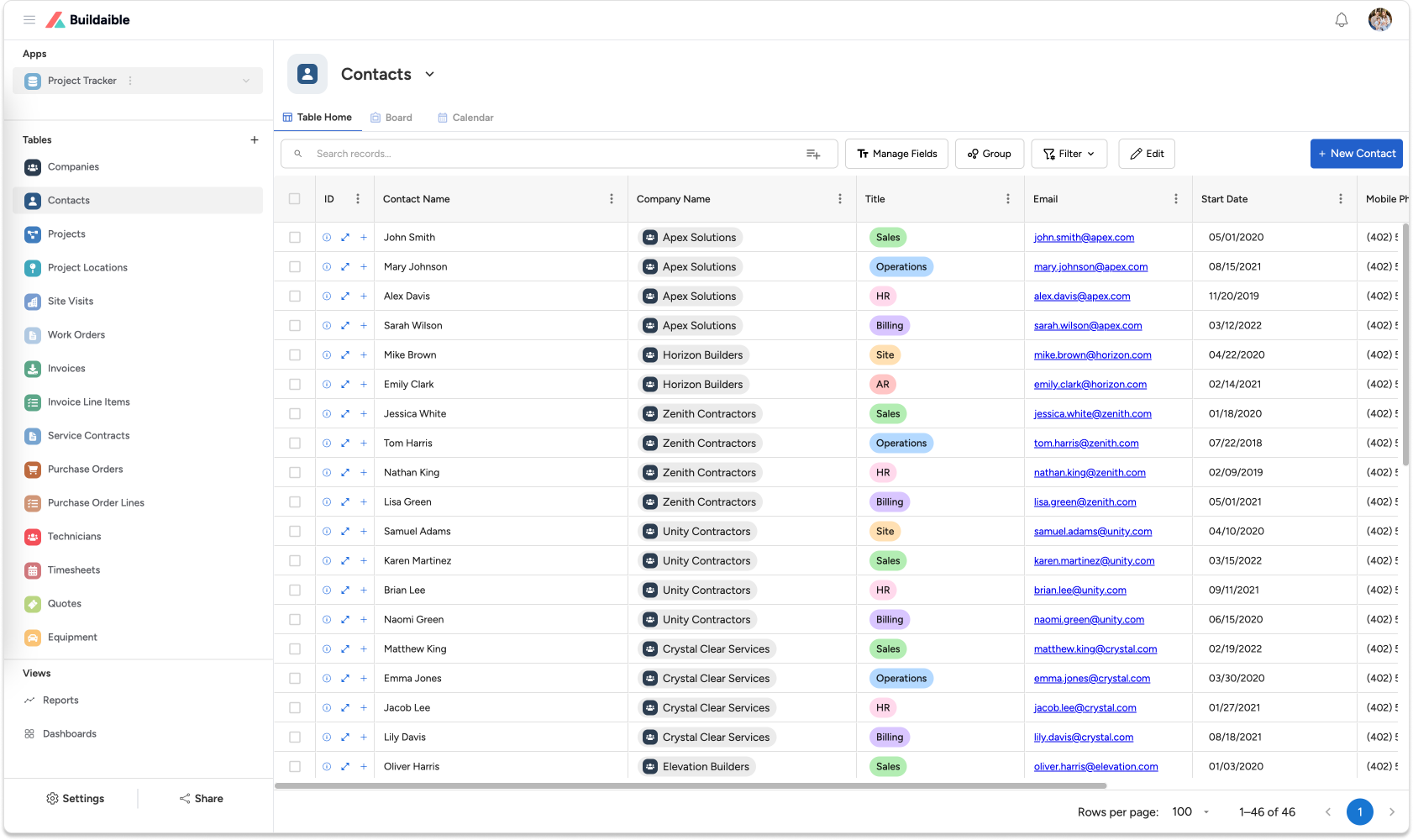
Table View (Table Report):
Description:
A traditional spreadsheet-style view that displays data in rows and columns.
Best For:
-
Viewing all records and fields in a table.
-
Sorting and filtering data.
-
Performing detailed comparisons.
Example Use: Reviewing a list of tasks with fields like Task Name, Due Date, and Status.
Board View (Kanban):
Description:
A Kanban-style layout that organizes records into columns based on a selected field, such as Status or Category.
Best For:
-
Managing workflows.
-
Visualizing progress.
-
Drag-and-drop record updates.
Example Use: Tracking tasks by status, such as “Open,” “Started,” and “Closed.”
.png)
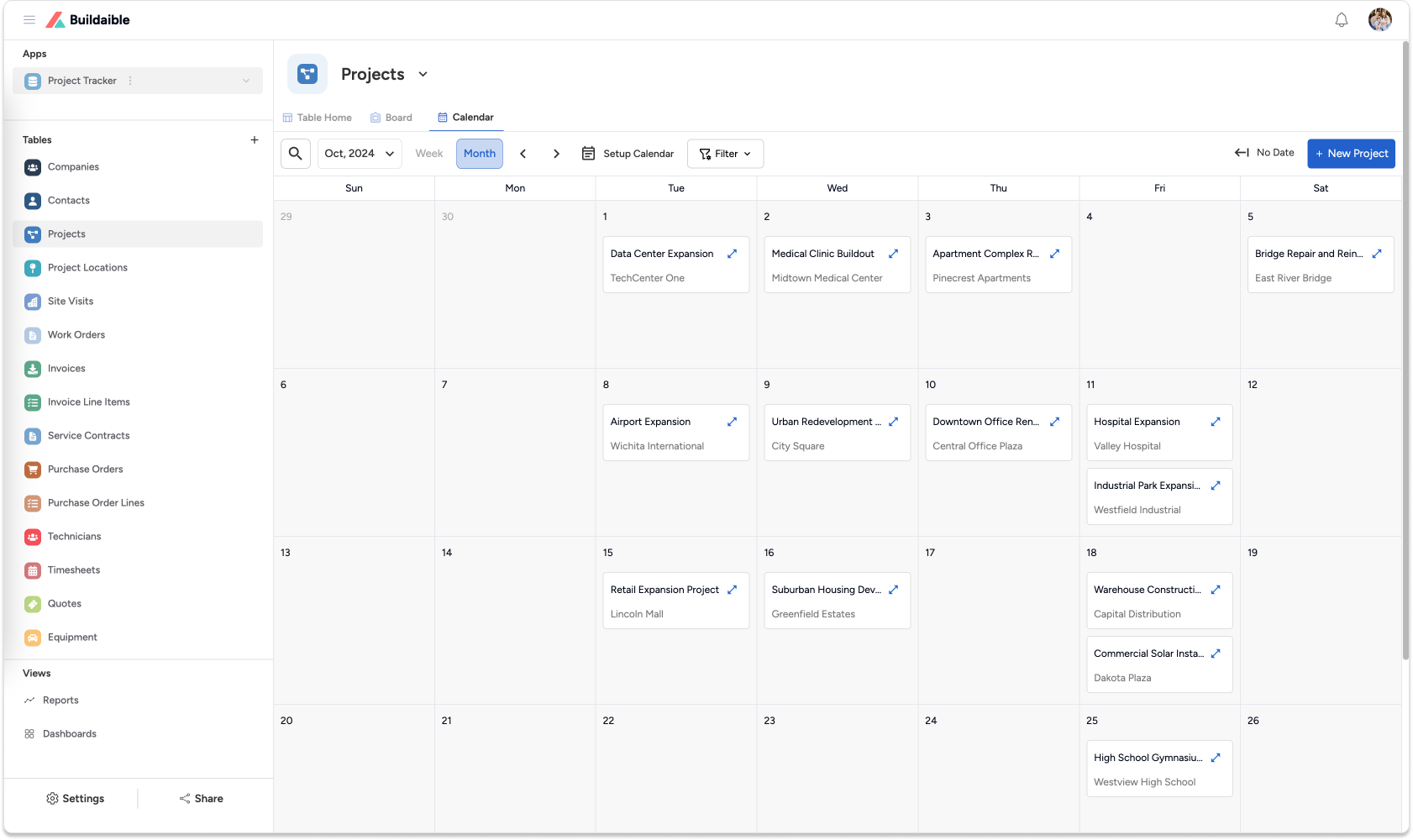
Calendar View:
Description:
A calendar layout that displays records with date fields.
Best For:
-
Scheduling and planning.
-
Viewing deadlines and events at a glance.
Example Use: Visualizing tasks or projects by their Due Date.
Switching Between Views
Buildaible makes it simple to switch between views. Each table provides tabs for quick navigation between the Table, Board, and Calendar views. This flexibility ensures you can adapt your data presentation to the task at hand without needing to create new reports or layouts.
Why Use Views?
Views provide a versatile way to interact with your data, offering benefits such as:
-
Flexibility:
Different views cater to different needs, from detailed data management to high-level overviews. -
Efficiency:
Built-in views eliminate the need to create separate reports, saving you time. -
Better Collaboration:
Team members can switch to the view that suits their role, whether they’re managing tasks, planning schedules, or analyzing data. -
Customizable Experience:
Each view adapts to the data and field settings of the table, ensuring relevance and clarity.
Example: Views in Action
Imagine you’re managing a marketing campaign with a Tasks table. Here’s how you might use the different views:
-
Table View:
Review all campaign tasks, including details like Assigned To, Priority, and Due Date. -
Board View:
Track task progress by status, dragging tasks between columns like “To Do,” “In Progress,” and “Completed.” -
Calendar View:
See all tasks plotted on a calendar by their Due Date, helping you plan deadlines and avoid conflicts.
Next Steps
-
Learn how to use and customize each built-in view.
-
Explore how field settings impact the presentation of data in different views.
-
Discover how views integrate with reports and dashboards for a seamless experience.
Views in Buildaible offer powerful ways to interact with your data, providing the versatility you need to manage tasks, projects, and processes effectively. With built-in views for every table, you can switch seamlessly between layouts to find the perspective that works best for you.