
Table Settings
Accessing and Using Table Settings
To access a table’s settings:
-
Click the drop-down menu located next to the table name.
-
Select Table Settings from the menu.
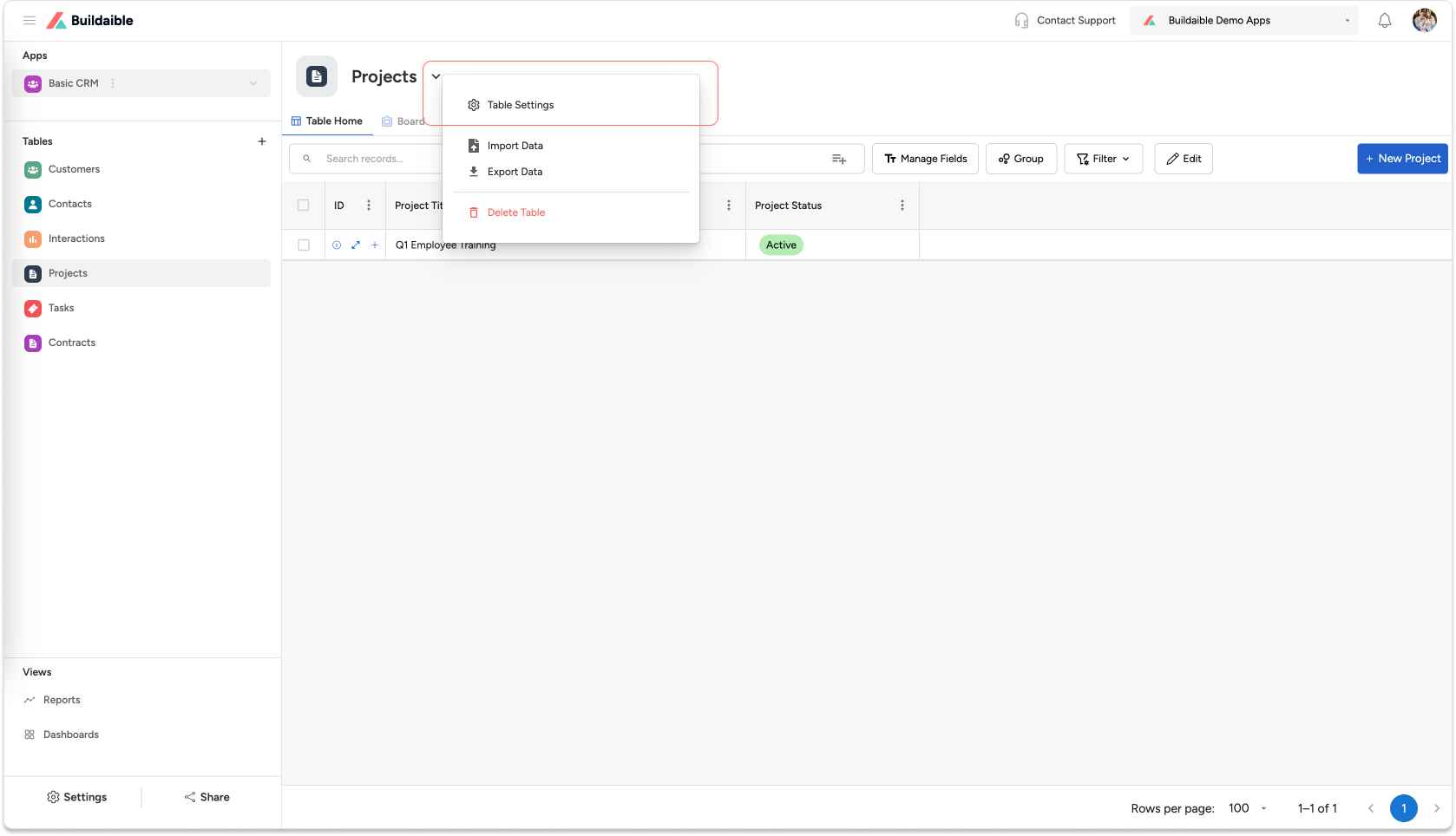
Table Settings Overview
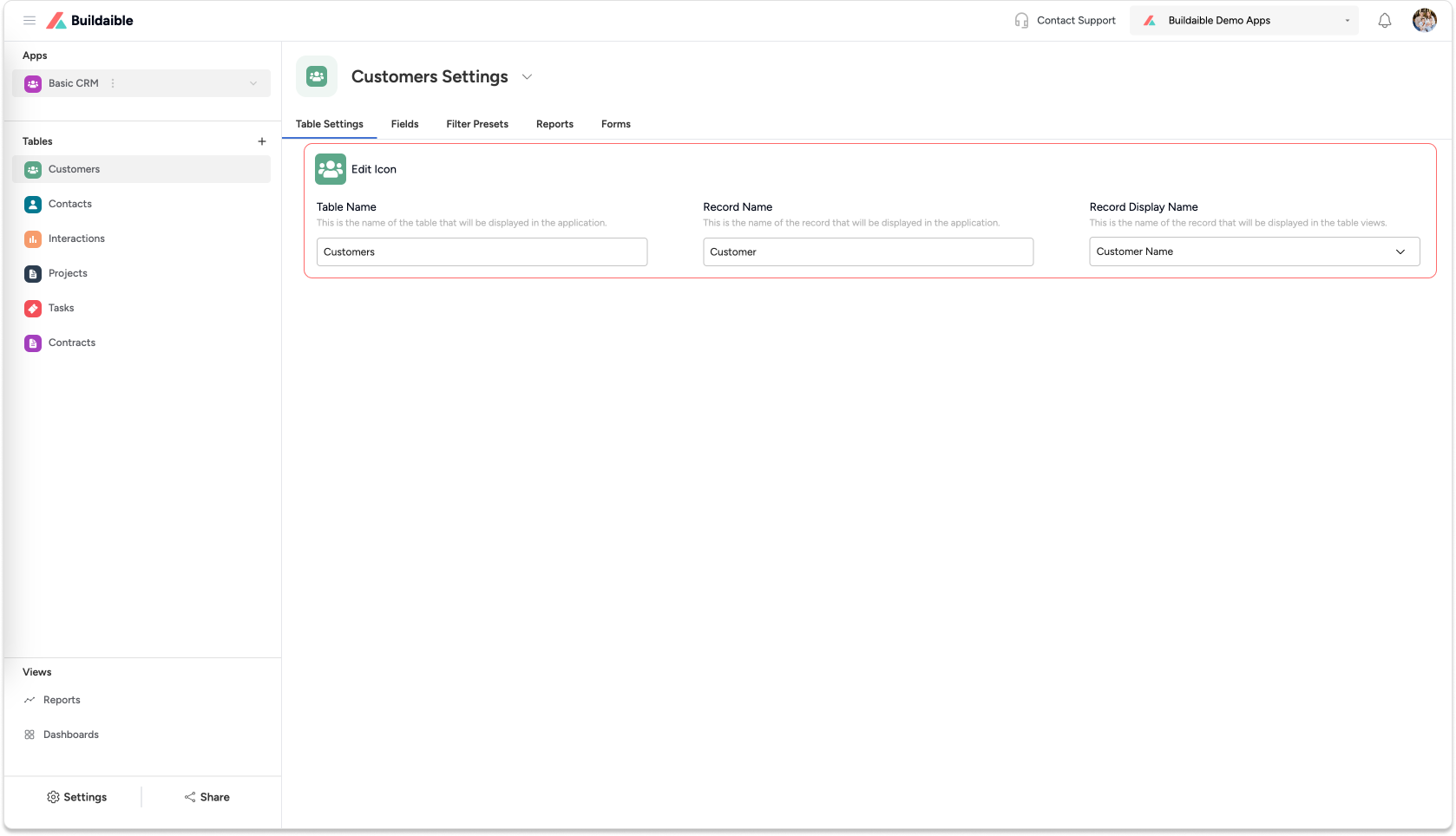
In the Table Settings panel, you can customize:
-
Table Name: The display name of the table in your application.
-
Record Name: The singular name of an individual record
-
Record Display Name: The field used as the primary display value in table views (e.g., a date or a name).
Additional Settings
Use the tabs in the Table Settings panel to configure other aspects of your table:
-
Fields: Manage and customize the fields for this table.
-
Filters: Set up filter presets for data views.
-
Reports: Create and manage reports based on table data.
-
Forms: Design forms for data entry and interaction.
Each of these settings is explained in detail in separate help articles. Refer to the respective guides for more information.